Oktopus REST API Integration

Integrating Your Systems with the Oktopus REST API
ISP operations today rely on many different systems working together: CRM, billing platforms, support tools, monitoring software, and, at the center of it all, the ACS. When these systems are not properly connected, teams end up relying on manual processes, duplicated data, and fragmented visibility. That friction slows operations down and makes scaling harder than it needs to be.
At Oktopus, we see the ACS as more than just a device management tool. It should act as the backbone of your operation, capable of communicating naturally with every other system you depend on. That’s exactly what the Oktopus REST API is designed to do.
In this article, together with the video embedded below, we explain how to integrate external systems with Oktopus and how this integration can unlock automation, consistency, and operational efficiency.
Video: How to Integrate with the Oktopus REST API
Why API Integration Is So Important for ISPs
As ISPs grow, complexity grows with them. New vendors are introduced, support teams expand, and customer expectations increase. Without solid integrations, everyday tasks like provisioning, troubleshooting, or reporting become slow and error-prone.
A well-designed API allows your systems to share data in real time. Your CRM can trigger provisioning, your support platform can pull live diagnostics, and your billing system can stay aligned with the actual state of devices in the field. Instead of teams working around tools, tools start working for the teams.
Accessing the Oktopus API Documentation
The first step to integrating with Oktopus is getting familiar with the API documentation.
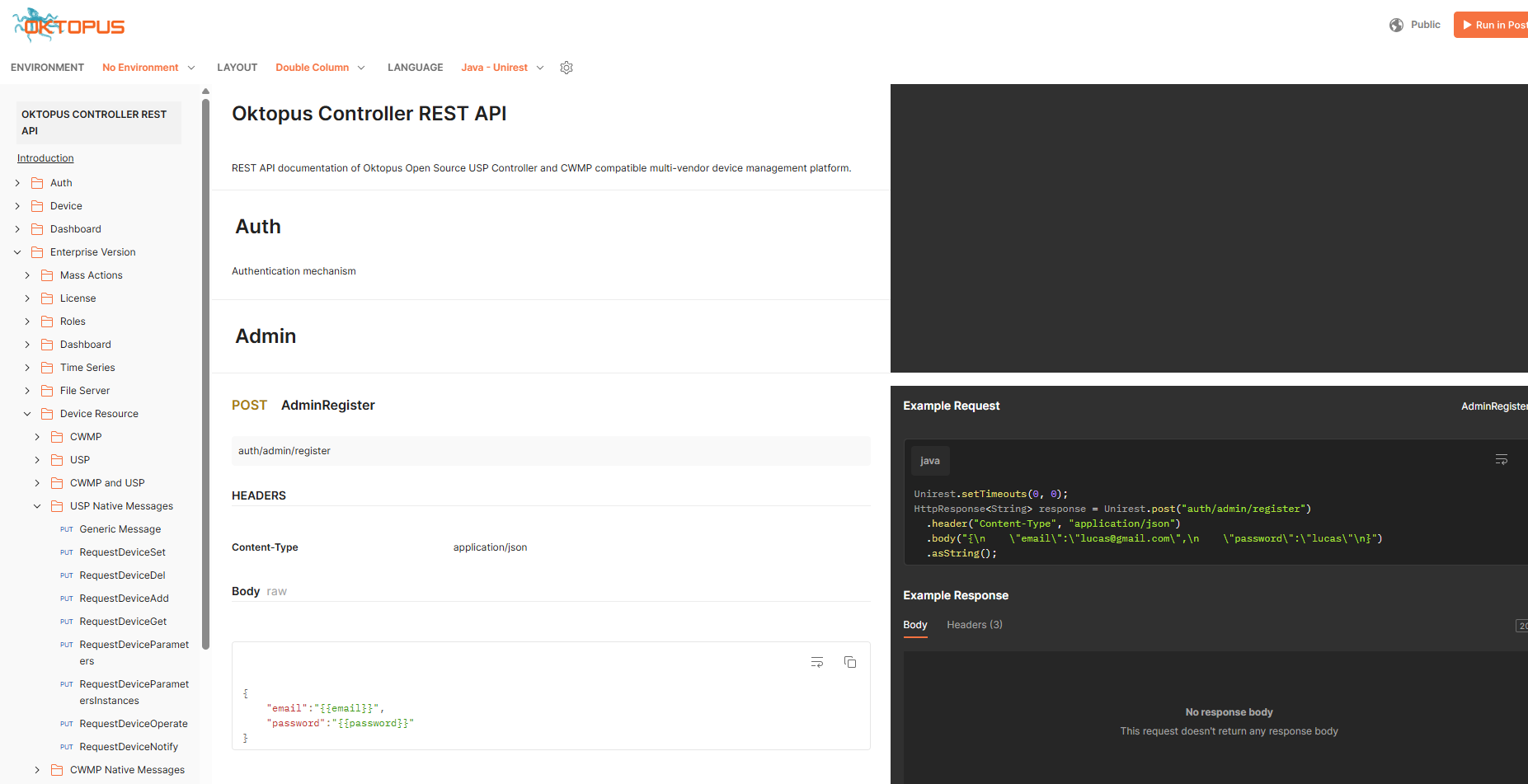
All documentation is available at https://docs.oktopus.app.br. Inside the Integrations section, you’ll find the complete API reference, built using OpenAPI standards. This makes it easy to understand available endpoints, request formats, and expected responses, even if you’re just getting started.
Exploring the API in Practice
In the video, we use Postman to explore the Oktopus API. If you already work with APIs, Postman will feel familiar. It allows you to import the API specification directly from the documentation and instantly browse endpoints, example requests, and responses.
That said, Postman is just one option. Any tool capable of reading OpenAPI specifications can be used, and the experience will be very similar.
Authentication and API Tokens
To keep integrations secure, Oktopus uses token-based authentication. The process starts by creating a dedicated user inside the Oktopus platform. This user is used exclusively for API access.
You can grant this user full permissions or create a custom role with limited access, depending on your needs. This makes it possible to follow the principle of least privilege and ensure integrations only interact with the parts of the system they truly require.
Once the user is created, you authenticate and generate a token. This token is then included in every API request. When using tools like Postman, token handling is largely automatic, allowing you to focus on building and testing integrations rather than managing authentication details.
Working with Real Device Data
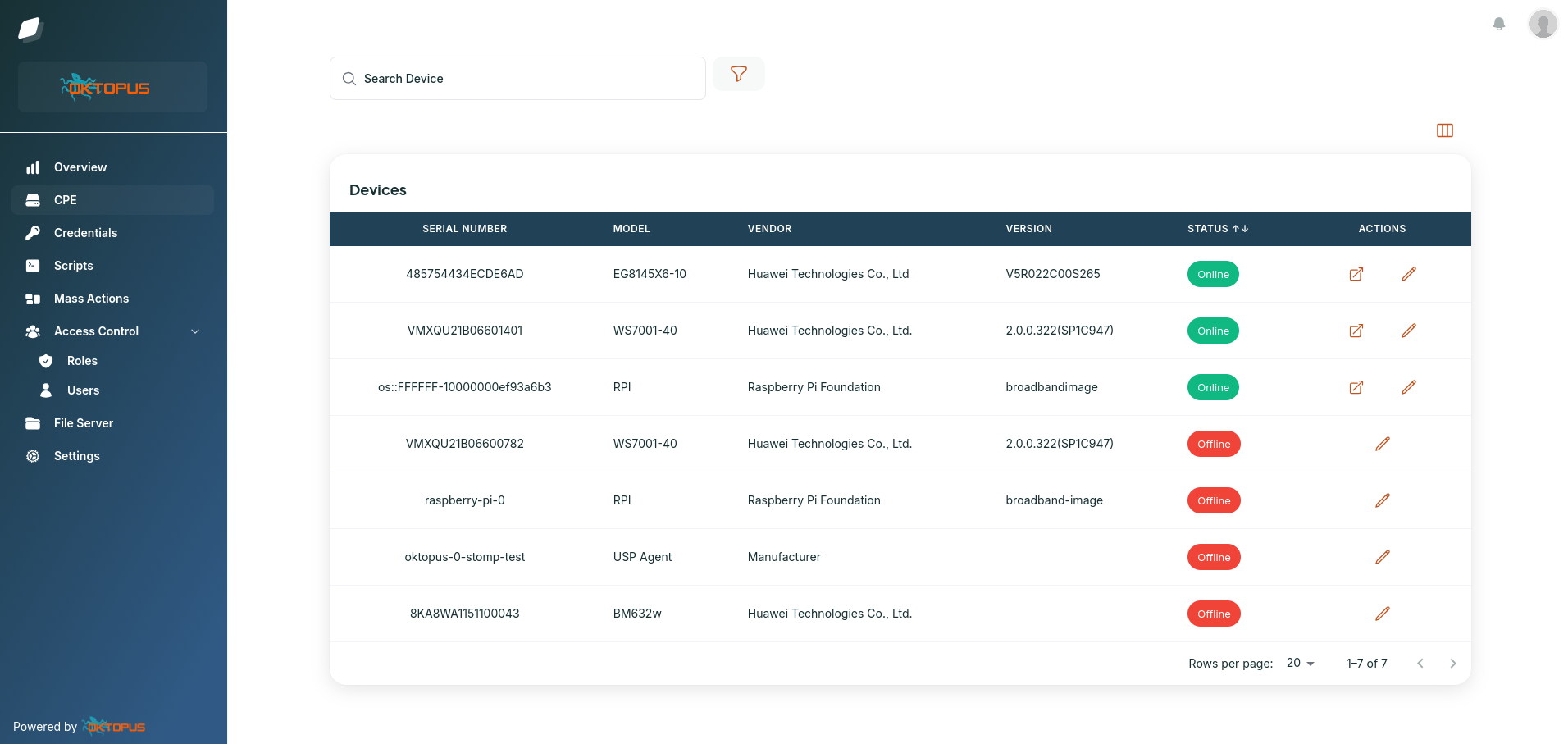
After authentication, the next step is interacting with real data from the platform. In the walkthrough, we retrieve the list of CPEs managed by Oktopus, select a device, and request Wi-Fi and device information.
All data is returned in JSON using a consistent structure. This consistency is intentional and becomes especially powerful in multi-vendor environments, where different devices normally expose different data models.
One API Across Vendors, Models, and Protocols
One of the biggest challenges for ISPs is dealing with device diversity. Different vendors, different data models like TR-181 and TR-098, and different protocols such as TR-069 and TR-369 often require different handling.
Oktopus abstracts all of this complexity. At the API level, the data looks the same regardless of the device or protocol behind it. This means your integrations can be written once and applied across your entire fleet without special cases or vendor-specific logic.
Going Deeper with Low-Level Access
While abstractions make day-to-day integrations easier, there are situations where deeper control is required. For advanced use cases, Oktopus allows you to craft and send raw TR-069 or TR-369 messages directly to the CPE.
This gives you the flexibility to build custom diagnostics, advanced troubleshooting workflows, or highly specialized automation, all while still benefiting from the higher-level abstractions when you don’t need that level of control.
Designed for Growth and Automation
The Oktopus REST API is built to support both simple and complex operations. You can start with straightforward integrations and gradually evolve toward deeper automation as your operation matures.
Whether you are connecting your billing system, automating support workflows, or building internal tools and dashboards, the API gives you a stable and scalable foundation.
Let’s Talk About Your Use Case
If you have questions about integrating with Oktopus or want to discuss how the API can support your specific workflows, we’d be happy to talk.
Explore the documentation, watch the video, and feel free to reach out. We’re always interested in understanding real-world use cases and helping teams get the most out of their infrastructure.
Oktopus is modern CPE management built for real-world automation.
Take control of your
network today
The world’s most widely used USP Controller and TR-069 ACS, with
enterprise-class features and no vendor lock-in.