Say Goodbye to Wi-Fi Dead Zones: Mesh Networks

Mesh Networks
We've all been there. You're streaming a video in the living room with perfect Wi-Fi, but walk into the bedroom and suddenly you're stuck with buffering. Or your home office is too far from the router, so video calls turn into a pixelated mess. Traditional routers promise coverage throughout your home, but the reality rarely matches the marketing.
Mesh networks solve this problem in an elegant way—by rethinking how Wi-Fi should work in the first place.
The Problem with Traditional Routers
A conventional home network uses a single router that broadcasts Wi-Fi in all directions. Signal strength decreases the further you get from that router, and walls, floors, and interference from other devices make things worse. By the time the signal reaches distant rooms, it's too weak to be useful.
You might try a Wi-Fi extender, but those come with their own headaches. Extenders create separate networks with different names, forcing your devices to manually switch between them. They also cut your bandwidth in half because they have to receive and retransmit every packet of data. And placement is finicky—too far from the router and the extender gets weak signal to begin with; too close and you haven't really extended coverage.
How Mesh Networks Work Differently
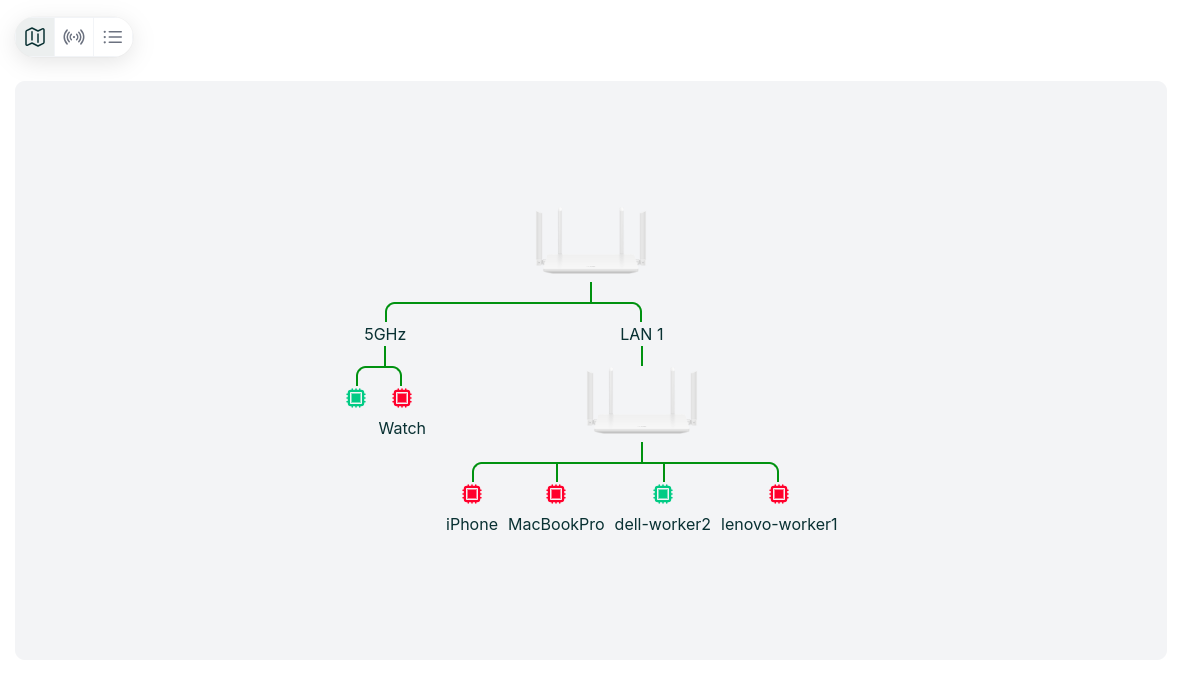
A mesh system replaces your single router with multiple devices called nodes or access points placed throughout your home. Typically, you'll have one main node connected to your modem, then two or three additional nodes in different rooms.
Here's what makes mesh networks special: all the nodes work together as a single, unified network. They share one network name (SSID) and password, and they intelligently communicate with each other to route your data along the best path. From your devices' perspective, there's just one seamless Wi-Fi network blanketing your entire home.
When you connect your laptop to the network in your living room, it might be talking to the node in that room. Walk to your bedroom, and your laptop automatically connects to the bedroom node instead—without dropping the connection, without you doing anything. This is called seamless roaming, and it means your video call doesn't freeze when you move between rooms.
Creating True Whole-Home Coverage
The beauty of mesh networks is how they eliminate dead zones through strategic placement. Instead of trying to push a weak signal into every corner from one central location, you bring strong signal sources to where you actually need them.
Let's say you have a two-story house. You'd place the main node near your modem on the first floor, a second node at the far end of that floor, and a third node upstairs. Each node creates a bubble of strong Wi-Fi signal around itself. Where these bubbles overlap, your devices can choose whichever node provides the best connection.
The nodes communicate with each other using a dedicated wireless channel (in tri-band systems) or by sharing bandwidth on the same channels your devices use (in dual-band systems). They constantly monitor signal strength and network congestion, adjusting in real-time to ensure you get the fastest, most reliable connection possible.
If one node goes offline—say you accidentally unplug it—the other nodes automatically reroute traffic. Your network keeps working, though potentially with reduced coverage in that area.
What This Means for Your Daily Life
In practical terms, a mesh network means you can walk anywhere in your home and expect fast, reliable Wi-Fi. Your smart TV in the basement streams 4K video without stuttering. Your kids' tablets work just as well in their upstairs bedrooms as they do in the kitchen. You can take work calls on your laptop from the backyard.
Devices that stay in one place—like smart home gadgets, security cameras, and printers—maintain stable connections because they're always within range of at least one node. And because the network appears as a single entity, you don't have to configure each device to connect to different access points in different rooms.
Is Mesh Right for You?
Mesh networks make the most sense if you have a larger home (over 1,500 square feet), multiple floors, or a layout where a single router can't reach everywhere. They're also ideal if you have many connected devices or do bandwidth-intensive activities like streaming, gaming, or video conferencing.
For a small apartment where a single router already provides good coverage, mesh might be overkill. But for most suburban homes, townhouses, or any situation where you currently experience dead zones, mesh networks deliver what traditional routers promise but can't quite achieve: strong, reliable Wi-Fi everywhere.
The technology isn't magic—it's just a smarter way of distributing signal sources throughout your space. And for anyone who's ever walked into a room and watched their Wi-Fi bars drop to nothing, that's close enough to magic.
The Vendor Lock-In Trap
Mesh networks have revolutionized home Wi-Fi, eliminating dead zones and providing seamless connectivity throughout your house. But there's a problem lurking beneath the surface that most people don't discover until it's too late: what happens when your carefully designed mesh network needs to grow, evolve, or integrate with devices from different manufacturers?
When you buy a mesh system from Eero, Google, Netgear, or any other manufacturer, you're not just buying hardware—you're committing to that vendor's ecosystem. Each manufacturer uses proprietary protocols and management systems that don't play well with others.
This creates real problems in several common scenarios:
Expanding your network. Your three-node Eero system worked great when you first set it up, but now you've finished the basement and added a home office in the converted garage. You need more nodes, but Eero's newest models might not be compatible with your older units, or they've discontinued your product line entirely. You're forced to either buy overpriced legacy hardware or replace your entire system.
Mixing performance tiers. Maybe you want high-performance Wi-Fi 6E nodes in your main living areas where you work and stream, but basic Wi-Fi 5 nodes would be fine for the guest room and laundry room. Good luck finding a mesh system that lets you mix tiers economically. Most vendors want you to buy their premium hardware for every single node.
Multi-property management. If you manage multiple properties—rental units, vacation homes, or even just helping elderly parents maintain their network—you're juggling different apps, accounts, and interfaces for each location's mesh system. One property has Google Nest, another has TP-Link Deco, a third has ASUS ZenWiFi. There's no unified view or management plane.
Business requirements meeting residential technology. Small offices, retail locations, and coworking spaces increasingly use residential mesh systems because they're easier and cheaper than enterprise solutions. But when you need to manage a dozen locations, each with its own mesh network, the consumer-focused management tools fall apart. And mixing vendors across locations—because different spaces have different requirements—becomes an administrative nightmare.
Why Multi-Vendor Mesh Networks Are Hard
The technical challenge isn't Wi-Fi itself—that's standardized. Your iPhone can connect to any manufacturer's access point because the 802.11 protocols are universal. The problem is how mesh nodes communicate with each other and how they're managed.
Each vendor implements mesh coordination differently. Eero uses TrueMesh, Google has its own algorithms, Netgear uses FastLane3 technology. These aren't just marketing terms; they're fundamentally different approaches to how nodes discover each other, share information about network topology, and route traffic. A Google node and an Eero node can't form a mesh together because they literally don't speak the same language.
The management challenge is even messier. Each vendor provides their own app with their own interface paradigms, feature sets, and cloud backends. Want to see your network health across all your mesh systems? You're opening multiple apps. Need to update firmware? You're doing it separately for each vendor ecosystem. Troubleshooting connectivity issues means learning the diagnostic tools for each platform.
This fragmentation creates several pain points:
No unified visibility. You can't see your entire network infrastructure in one place. Which properties need firmware updates? Where are devices experiencing connectivity issues? What's the bandwidth utilization across your various locations? Each vendor's app shows you a piece of the puzzle, but nobody shows you the whole picture.
Inconsistent policies. You've carefully configured parental controls, guest network settings, and device prioritization on your home mesh network. Now you want the same setup at your vacation home, but it has a different vendor's equipment. You're manually recreating everything and hoping you remember all the settings correctly.
Vendor dependency. When a manufacturer discontinues a product line, raises prices, or changes their management platform, you're stuck. Migration means replacing everything and starting from scratch because there's no interoperability between ecosystems.
Operational overhead. For anyone managing more than a handful of networks—property managers, small business owners, IT consultants helping multiple clients—the time spent context-switching between vendor platforms adds up quickly. And training others to manage these systems becomes an exercise in creating separate procedures for each vendor.
What Multi-Vendor Mesh Management Should Look Like
The ideal solution would abstract away vendor differences and provide a unified control plane for mesh networks regardless of manufacturer. You'd want:
- A single dashboard showing the status, performance, and health of all your mesh networks across all locations
- Vendor-agnostic tools for common management tasks like firmware updates, configuration changes, and troubleshooting
- The ability to define policies once and apply them across networks, even if they use different hardware
- Alerting and monitoring that works consistently regardless of which vendor's mesh nodes are deployed
- Historical data and analytics that let you compare performance across different vendors and make informed decisions about future hardware purchases
Most importantly, this solution should embrace multi-vendor reality rather than fighting it. The goal isn't to replace each manufacturer's specialized features, but to provide a management layer that makes working with multiple vendors practical instead of painful. Currently, this capability gap forces many people and organizations to stick with a single vendor even when it doesn't make technical or economic sense. Or they tolerate the complexity of juggling multiple disconnected management systems. Neither option is ideal.
The mesh network revolution delivered on its promise of eliminating Wi-Fi dead zones. But for anyone managing multiple networks or needing to grow beyond a single vendor's ecosystem, we need a management revolution to match.
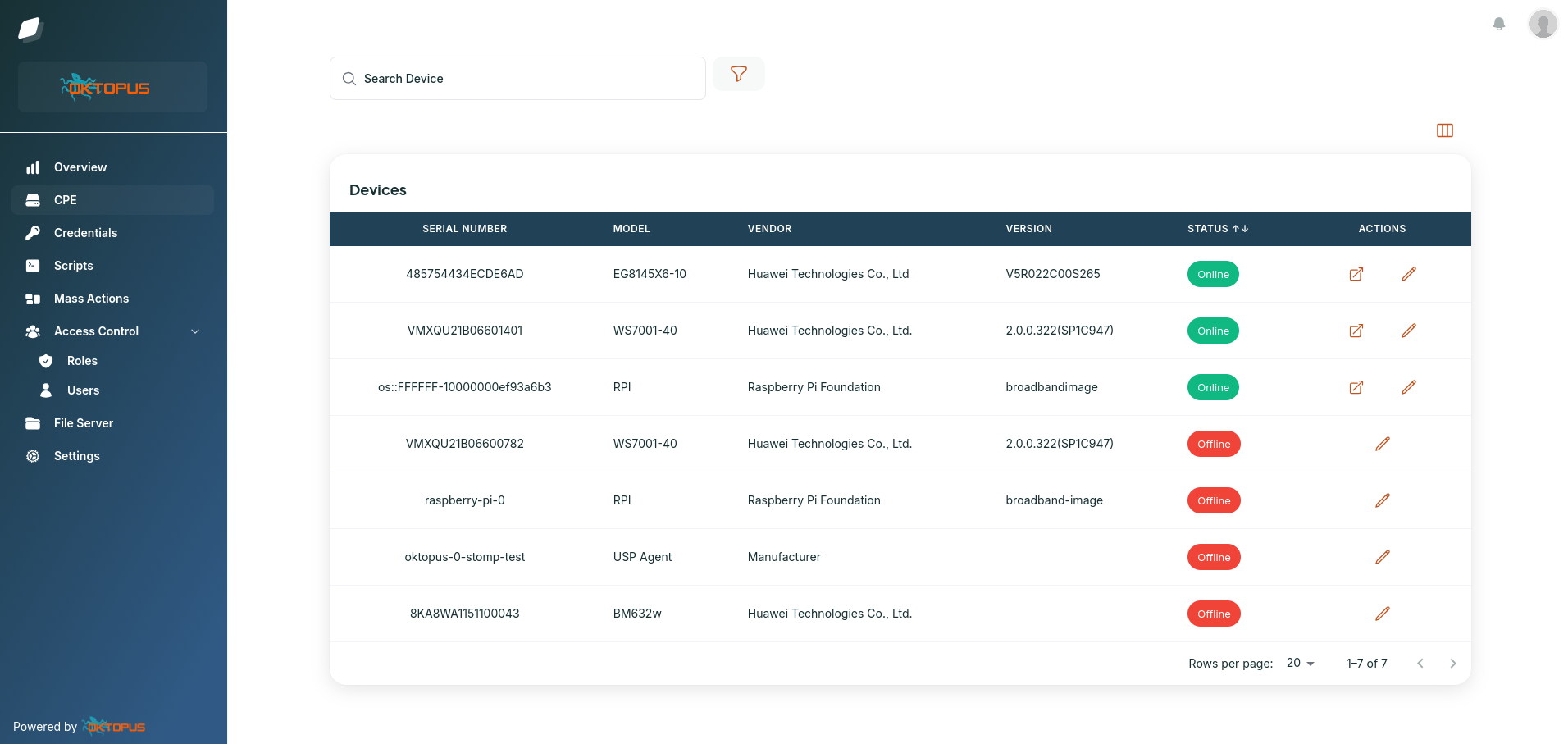
Oktopus fills this critical gap by providing a unified management platform that works across mesh network vendors. Instead of juggling multiple apps and management interfaces, Oktopus gives you a single pane of glass to monitor, configure, and maintain all your mesh networks—regardless of whether they're running Eero, Google Nest, Netgear, Genexis, Zyxel, TP-Link, or any other major manufacturer's hardware. Finally, you can manage your multi-vendor mesh infrastructure the way it should have worked from the beginning: simply, efficiently, and without vendor lock-in.


Take control of your
network today
The world’s most widely used USP Controller and TR-069 ACS, with
enterprise-class features and no vendor lock-in.